Features
The whole job, in one system
Every feature below is live in the product today — nothing on this page is a roadmap item.
Money
Rent in, books balanced, owners paid.
 Online rent collection
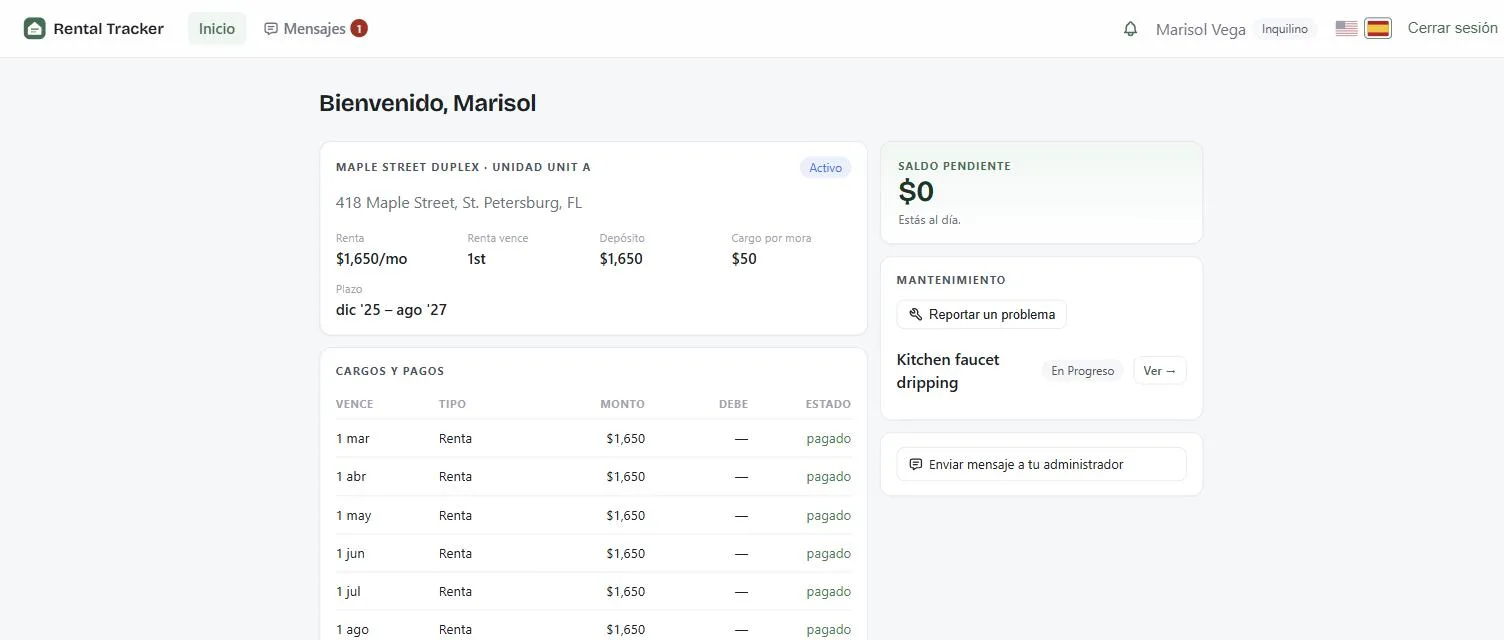
Monthly charges post automatically; tenants pay by bank transfer or Zelle; late fees apply on their own schedule.
- Rent charges are created every month on the due day you choose.
- Tenants pay by bank transfer (ACH) straight into your bank account, or by Zelle, which you confirm with one click.
- Late fees apply after your grace period. On a shared lease you choose who carries them: the primary tenant, split, or each tenant.
- Up to four tenants per unit, each paying their own share of the rent.
 Double-entry accounting
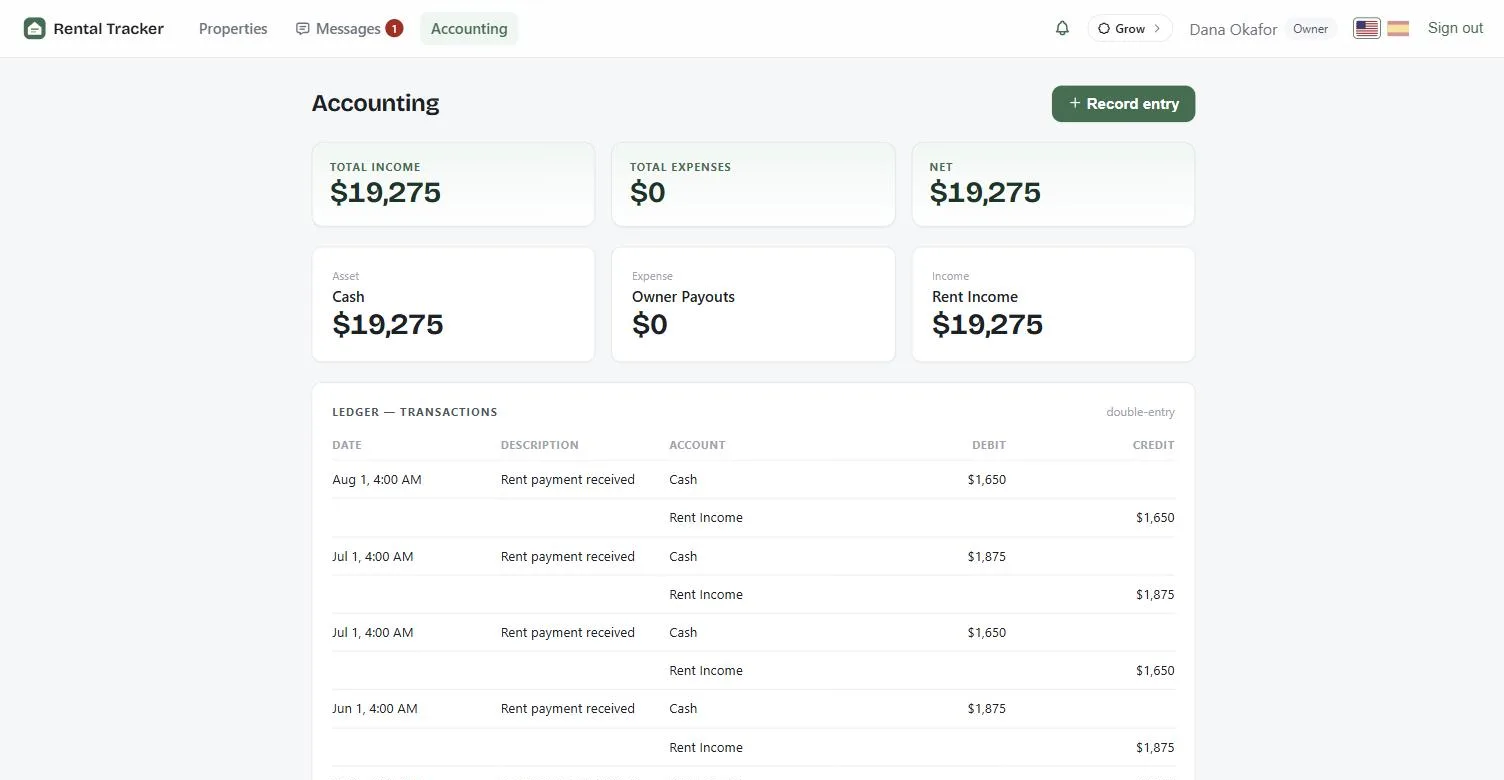
Every payment posts debit-and-credit to a real ledger — owner statements, rent roll, and delinquency reports included.
- Every payment posts to a real double-entry ledger, automatically.
- Record your own income and expenses, including ones that repeat every month.
- Look at the books for the whole portfolio, one property, or one unit.
- Owner statement, rent roll and delinquency report, ready when you need them.
 Money straight to you
Rent lands in the landlord’s own bank account, not ours, and every draw is recorded.
- Rent is paid into your own bank account. Rental Tracker never holds your money.
- Record each draw you take, so the books always match the bank.
Operations
Repairs, conversations, and the daily pulse.
 Maintenance & vendors
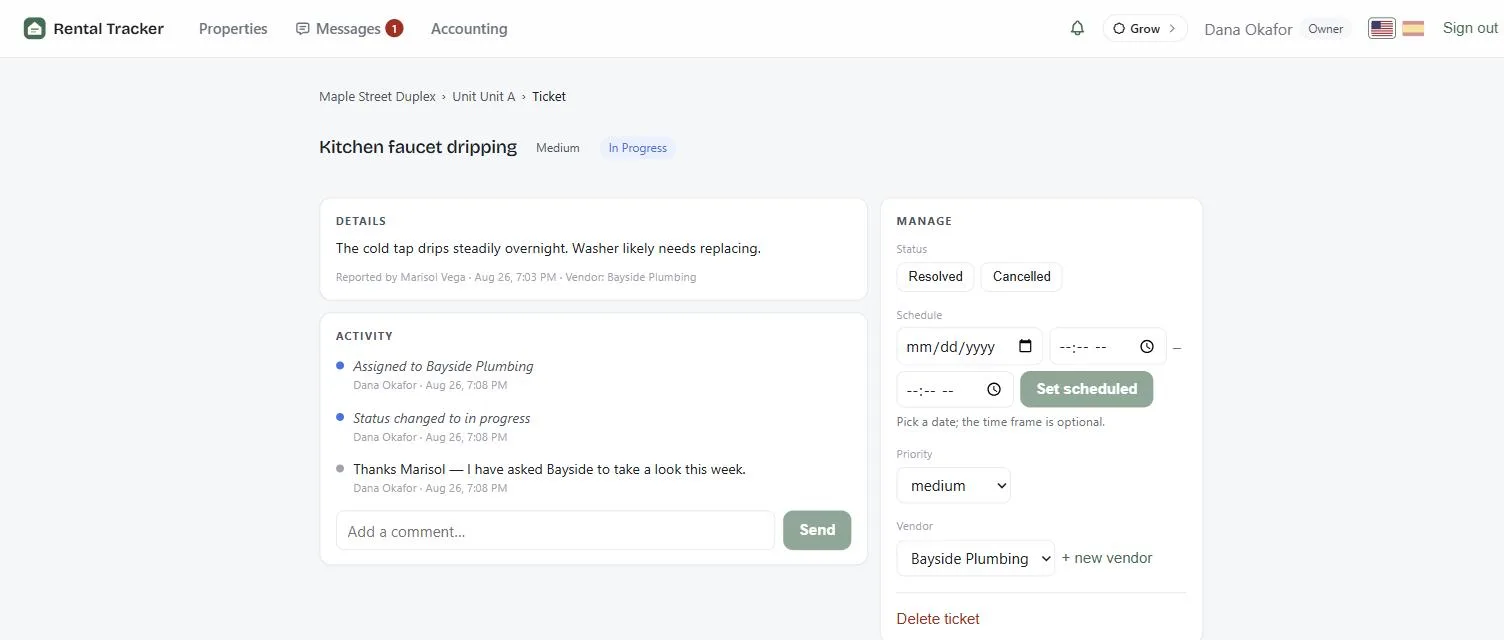
Tenants report issues; you assign vendors and track every ticket through a status workflow with a full timeline.
- Tenants report a repair from the web or the tenant app.
- Set a priority, from low to emergency.
- Assign a vendor and move the ticket through each status.
- Every comment and change is kept on one timeline.
 Messaging
Property-scoped conversations that keep landlords, tenants, and vendors on the record.
- A conversation for each property, with your tenants and vendors.
- Everyone is notified when a new message arrives.
- The full history stays on the record.
 Notifications & reminders
Rent reminders, overdue alerts, and activity — in-app and by email.
- Rent reminders before the due date, and alerts when rent is overdue.
- Alerts in the app and by email.
- Know the moment a tenant signs a lease.
Leasing
From vacancy to signed lease.
 Listings & rental search
Publish a vacancy with photos and it appears in the public rental search, where renters can apply online.
- Add photos and details, then publish to the public rental search by ZIP code.
- Renters apply online without creating an account.
- Mark a rental Pending when someone is lined up, or take it out of search.
 Applications & screening
Renters apply without an account — residence history, employment, income and references arrive in one place. Pre-approve the ones you like and screen them through Checkr: credit, criminal and eviction history, with the fee paid by the applicant, not you.
- Email an application to anyone, or receive applications from your listing.
- A full form: residence history, employment, income, references and household.
- Pre-approve an applicant to screen them through Checkr: credit score, criminal and eviction history.
- Download the full report as a PDF. The applicant pays the screening fee directly to Checkr.
 Documents
Upload, store, and share files on any lease or application — everything filed where it belongs.
- Upload leases and files, and attach them to a lease or an application.
- No lease of your own? Generate a ready-to-sign Florida residential lease from the lease details.
- Tenants find their documents in their own portal.
 E-signatures
Place fields on the lease PDF and collect click-to-sign signatures with signer, time, and address recorded.
- Place signature, initials, date, text and checkbox fields on any lease PDF.
- Every tenant signs their own line, up to four per lease.
- Each signature records who signed, when, and from which IP address and device.
- Changing a signed lease keeps the earlier signed version on file.

Platform
The foundation everything runs on.
 Roles & shared access
Invite managers per property — owner, manager, tenant, vendor each see exactly what their role allows.
- Owner, manager, tenant and vendor: each sees only what their role allows.
- Invite a manager to the properties they look after, and no others.
- One person can own one property and rent another.
 English & Spanish
The entire product in both languages; every person picks their own.
- Every screen and every email, in English or Spanish.
- Each person picks their own: a landlord in English, a tenant in Spanish.